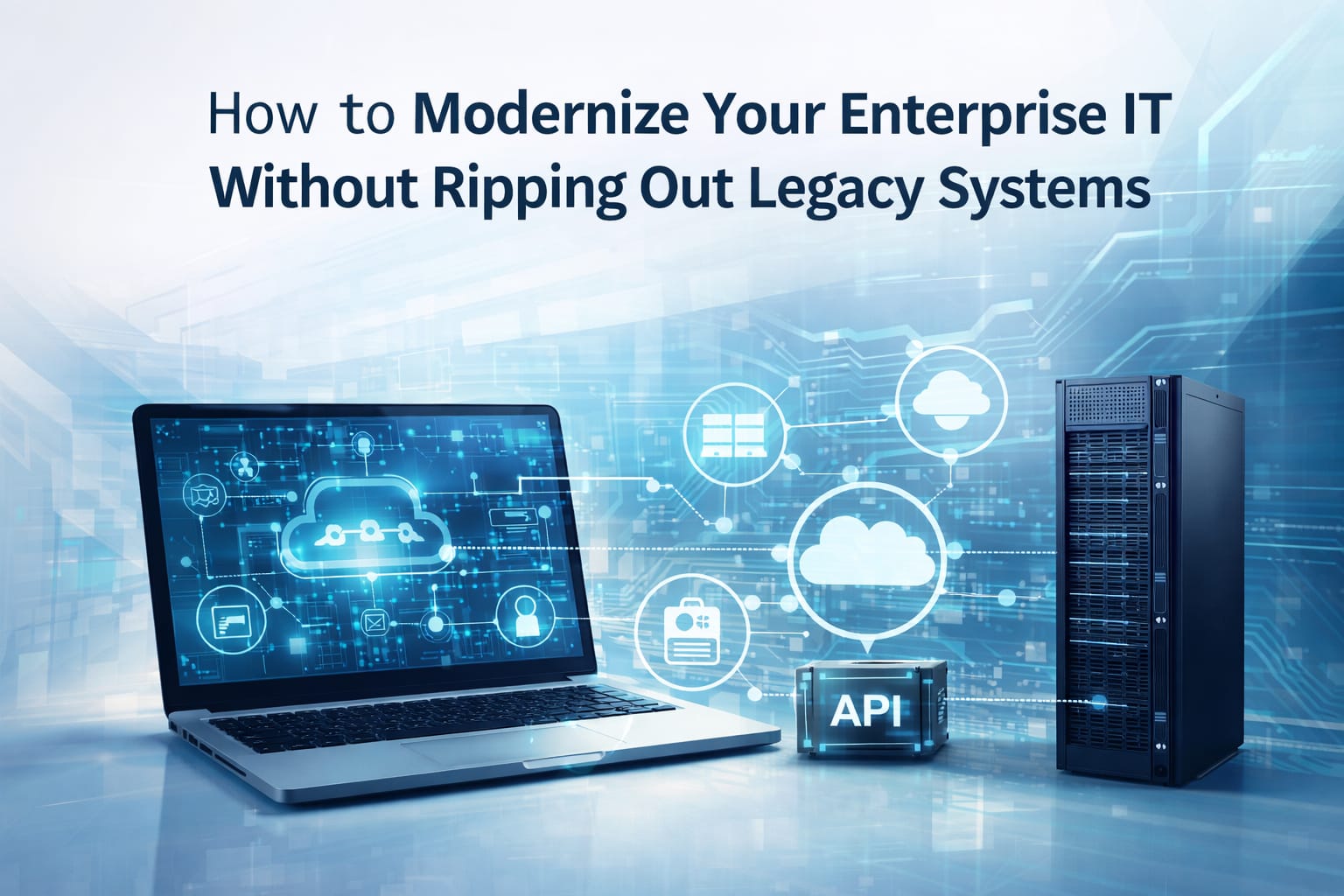
How to Modernize Your Enterprise IT Without Ripping Out Legacy Systems Integration
Every IT manager in India has heard it: “We need to modernize our systems.” And the next thought is always panic — how much will this cost? How long will it take? What if everything breaks?
The good news? Legacy system integration doesn’t mean replacing everything. Smart enterprises are bridging old and new — keeping what works while layering on modern capabilities. This guide breaks down exactly how to do that.
1. What Is Legacy System Integration?
Legacy system integration means connecting your existing older IT infrastructure — servers, ERPs,
databases, high-performance compute on-premise software — with modern platforms like cloud services, new hardware, or SaaS tools, without shutting down the original system. Think of it like upgrading the engine of a running train. The tracks (your data, processes, workflows) stay the same. You just make the engine smarter, faster, and more fuel-efficient.
For Indian enterprises, this approach is especially valuable because:
• Budget cycles are rigid and full replacements are expensive
• Business continuity cannot be compromised
• Existing systems hold years of mission-critical data
• Compliance and audit requirements tie you to older platforms
2. Why “Rip and Replace” Fails Most Companies
Full IT system replacement sounds logical on paper but consistently fails in execution. Here’s why:
• Budget Overruns — Replacements routinely go 2–3× over budget. Hardware, licensing, training,
migration — it adds up fast.
• Downtime Risk — Migration windows cause unplanned outages. For 24/7 operations, even 4 hours
of downtime is catastrophic.
• Data Loss Danger — Legacy databases often hold undocumented data structures. Improper
migration = permanent data loss.
• User Resistance — Teams trained on old systems resist sudden change. Productivity drops for
months post-replacement.
3. 5 Proven Strategies for Legacy System Integration
1. API-First Integration Layer
Build a middleware or API gateway that sits between your legacy system and new applications. Your old
ERP keeps running — but modern dashboards, mobile apps, or cloud analytics can pull data from it in realtime.
Best for: Companies with stable legacy software that needs to feed new digital tools.
2. Phased Hardware Upgrade with Lenovo ThinkSystem Servers
Rather than replacing all servers at once, upgrade in phases. Lenovo ThinkSystem servers handle both
legacy workloads and modern containerized applications on the same rack.
Best for: Enterprises running on-premise data centers needing scalability without full overhaul.
3. Cloud Hybrid Bridge
Connect on-premise legacy systems to cloud platforms (Azure, AWS, or private cloud) using secure hybrid connectors. Keep sensitive data on-premise for compliance while moving compute-heavy tasks to the cloud.
Best for: Government and BFSI sectors with strict data residency requirements.
4. Endpoint Modernization First
Upgrade laptops, desktops, and thin clients before touching backend systems. Users get faster modern
devices; backend systems stay untouched. Lowest-risk, highest-impact first step.
Best for: Organizations with 50–500 users where productivity is the primary pain point.
5. Data Virtualization
Create a unified data layer so BI tools see clean modern data — while actual storage remains in the legacy
system. No physical migration needed.
Best for: Analytics-heavy enterprises in retail, logistics, or healthcare.
4. Your 6-Month IT Modernization Roadmap
1. Month 1 — Audit: Map every legacy system, document dependencies, identify bottlenecks.
2. Month 2 — Prioritize: Rank by business impact and integration complexity. High impact + low
complexity = modernize first.
3. Month 3 — Pilot: Run a hybrid integration pilot on one department. Measure performance, security,
and UX.
4. Month 4 — Expand: Roll out proven patterns to the next tier. Begin phased hardware upgrades.
5. Month 5 — Secure: Layer in EDR, antivirus, and firewall across both old and new systems.
6. Month 6 — Optimize: Monitor KPIs, fine-tune API connections, plan the next phase
5. The Hardware Layer: What to Upgrade and When
As a Lenovo Platinum Partner, PCE Systems recommends the following hardware to bridge legacy and
modern workloads:
• Lenovo ThinkSystem Servers — Handle legacy + containerized workloads. Ideal for hybrid data
centers.
• Lenovo ThinkStation Workstations — For power users running legacy CAD, ERP, or analytics.
• ThinkPad Business Laptops — Modernize endpoints first. Support legacy VPN with modern
security built in.
• Enterprise Networking — Switches and routers that support both legacy protocols and modern SD-WAN.
6. Security During Modernization: Don’t Leave Gaps
The most vulnerable time is during integration — when legacy and modern systems are connected but
security policies haven’t caught up. Implement these in parallel:
• EDR (Endpoint Detection & Response) — Monitor all endpoints for threats in real time.
• Next-Gen Firewall — One policy covering both legacy and cloud-connected infrastructure.
• Zero Trust Network Access (ZTNA) — Never assume a device is safe inside the corporate
network.
• VPN for Remote Access — Essential if legacy systems are accessed by remote employees.
7. Frequently Asked Questions
What is the cost of integration vs full replacement?
Integration typically costs 30–50% less than full replacement. Avoiding data migration and retraining alone saves significant budget.
How long does IT modernization take?
A phased approach typically spans 6–18 months. First improvements in performance and security are
visible within 60–90 days.
Can Lenovo servers work with our existing on-premise setup?
Yes. Lenovo ThinkSystem servers support hybrid environments and a wide range of legacy protocols and
operating systems, including older Windows Server versions.
Do we need downtime during integration?
With proper planning, most integration steps run without downtime. Hardware swaps can be scheduled
during off-peak hours.
Does PCE Systems serve clients across India?
Yes. PCE Systems serves Government, Corporate, and Education clients across India. Contact us for
region-specific availability.
Get Started with PCE Systems
PCE Systems Pvt Ltd is a Lenovo Platinum Partner specializing in IT infrastructure solutions for
enterprises across India. Our range covers Laptops, Desktops, Workstations, Servers, Networking, Cloud, Antivirus, EDR, Firewall, and VPN.
Ready to modernize your IT? Get a free infrastructure assessment today.